AI Limits
Usage limits widget for Claude and Codex
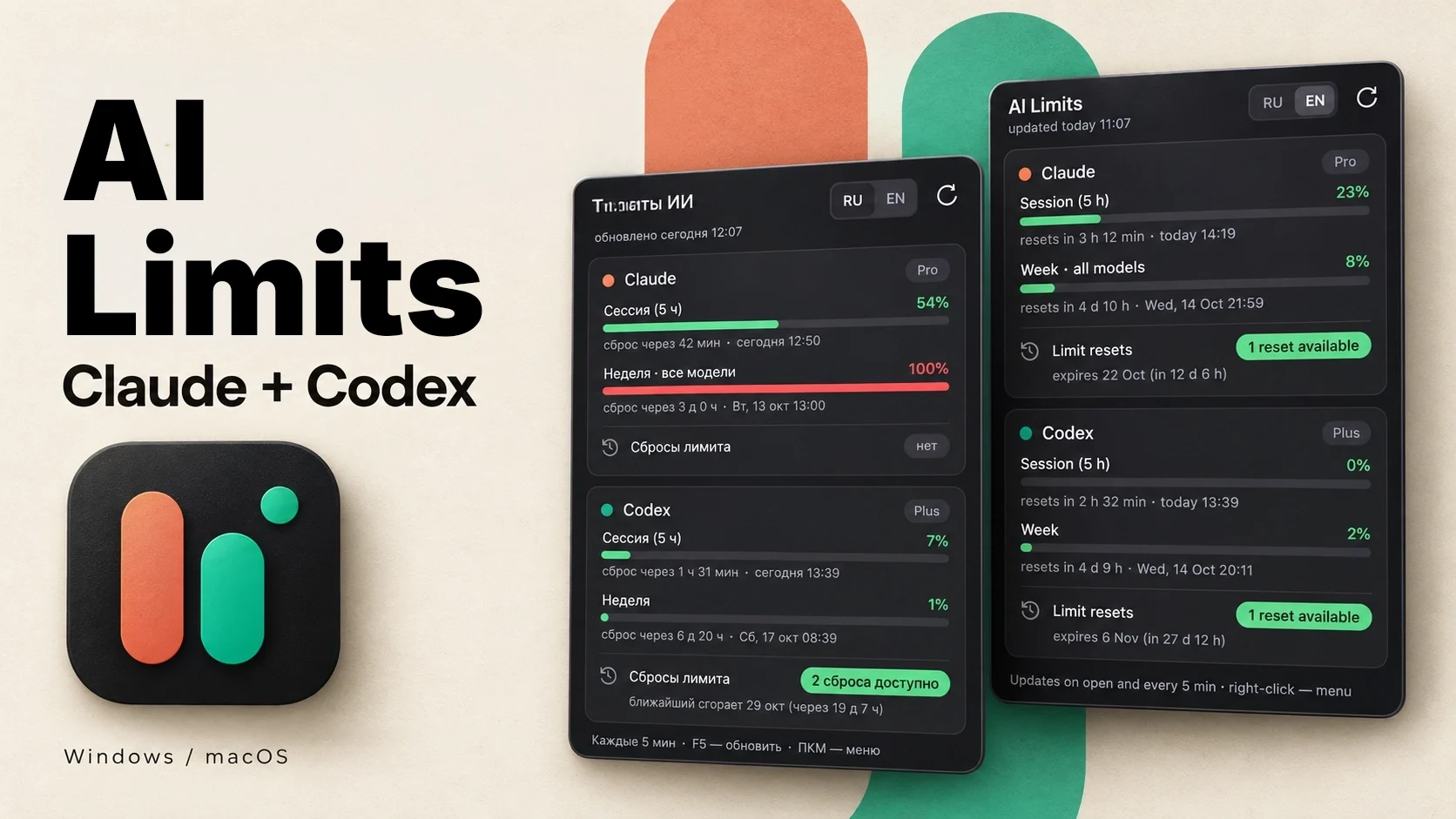
A widget for people who work with Claude and Codex and want to check their remaining capacity at a glance. Session and weekly usage, reset times and available limit resets share one panel next to the clock on Windows and macOS.
- Role
- Product concept, UI/UX design, Prototyping, Development with AI assistants
- Platforms
- Windows, macOS
- Tools
- C# / WinForms, JavaScript for Automation / AppKit / WebKit, HTML / CSS / JavaScript, AI assistants
- Year
- 2026
- Tags
- AI
- Desktop apps
- Productivity
Challenge
The project grew out of daily work with Claude and Codex. Before starting a task, I need to know how much capacity remains and when the limits will reset. Checking several apps interrupted my workflow, so I decided to bring the information together in a compact widget next to the clock.
Solution
One click opens the panel from the Windows system tray or the macOS menu bar. Each service has its own card with the subscription plan, session and weekly usage, reset times and available limit resets. A consistent structure makes the data easy to compare.
The interface is designed for a quick glance: percentages accompany coloured bars, and time appears as both a remaining interval and a date. The RU/EN switch sits next to the refresh button in the header. The language choice is remembered between launches.
Key decisions
- Status before opening the panel
Two bars in the icon show each service’s most heavily used limit: orange for Claude and green for Codex. In the Windows version, a bar turns red when usage reaches 90%. Hovering over the icon shows exact percentages.
- Available resets in a separate section
The number of available limit resets and their nearest expiry date have a dedicated section in each card. In the Windows version, a green dot in the icon indicates an available reset before the panel is opened.
- Background updates
The widget requests data every five minutes, even with the panel closed, and redraws the icon when new values arrive. It also updates at launch and when the panel opens; a button in the header allows a manual refresh.
- Time without calculations
Each limit shows the remaining time and its reset date. This helps users assess when they can return to a task without converting hours and days themselves.
Implementation on two platforms
- Windows
A standalone EXE with instructions is packaged for sharing with another user. The panel supports light and dark themes, display scaling and launch at Windows sign-in. If a temporary loading error occurs, it retains the last known values with their timestamp.
- macOS
An archive includes an installer that builds the menu bar app. The panel follows the same card structure and supports RU/EN, background updates and launch at login. It uses Claude Code and Codex CLI sign-ins to retrieve data.
Have a role or project that fits?
I reply on Telegram and by email.